AI generator creates images from your text description. Upload your photo - the AI will edit it by prompt, remove background, or upscale without blur. Opens in any country right in the browser - no Discord, no app to install, no card.
Send any amount of USDT to one of the wallets below. Donations help pay for the AI models and servers and keep generation free. Thank you for your support!
TRC20TChvrUifcNSDwn6Neo4cSsks4adSaZJBcn
BEP200xba3190a6d7d42cab2c2082a2d275dbc2c28647a4
ERC200xba3190a6d7d42cab2c2082a2d275dbc2c28647a4
SOL6rFKbrE4euhXPqh6eQ4qpJAmUwz8gQ64zJ6eSAgJbx3p
AI prompt examples with results
All images below were generated right on this site - with exactly the prompts written under them. Like a result? Click 'Repeat': the prompt and format will be filled into the form, just change the details to fit your needs.
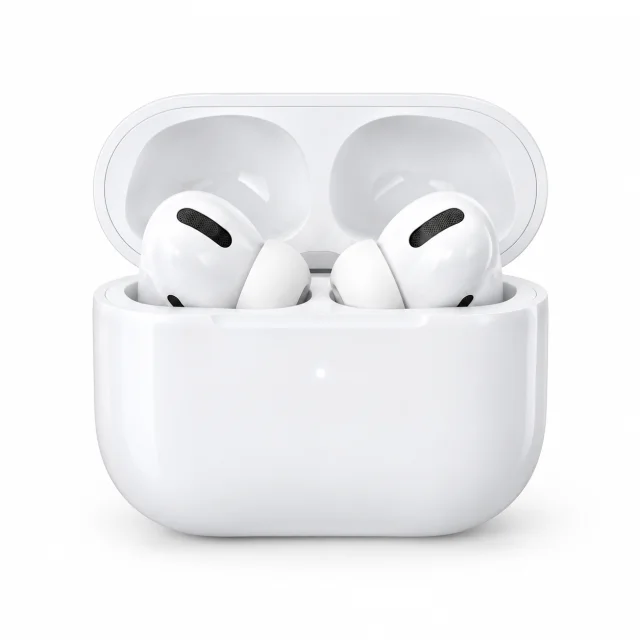
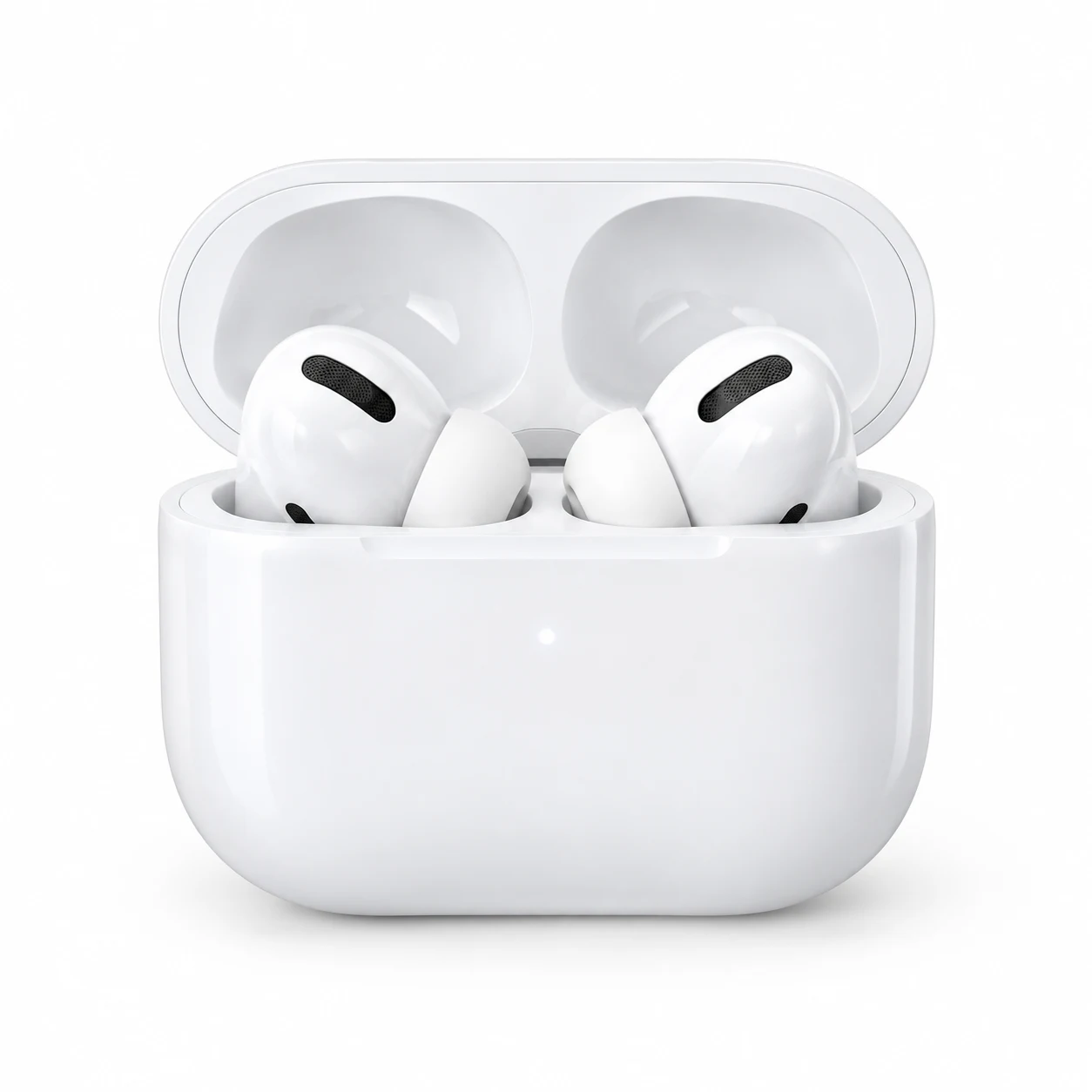
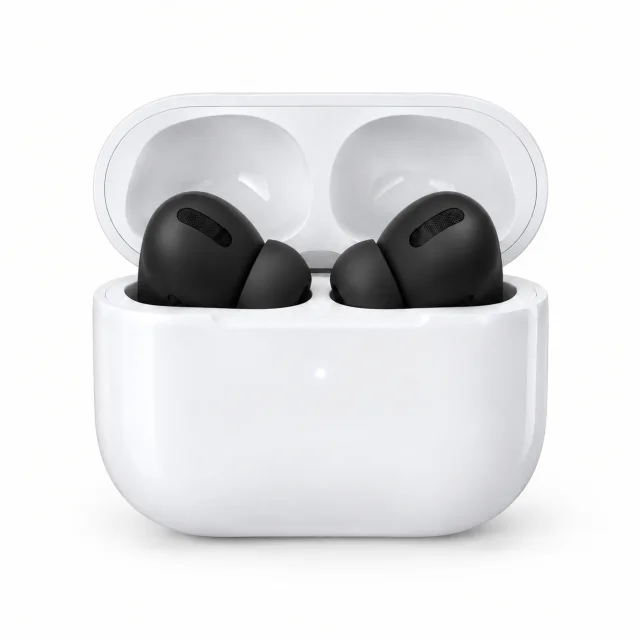
Marketplace product 1024×1024 · 21 sec
Prompt: White wireless earbuds in an open charging case on a clean white background, soft studio lighting, light shadow under the case, photorealism, product card photo, no text
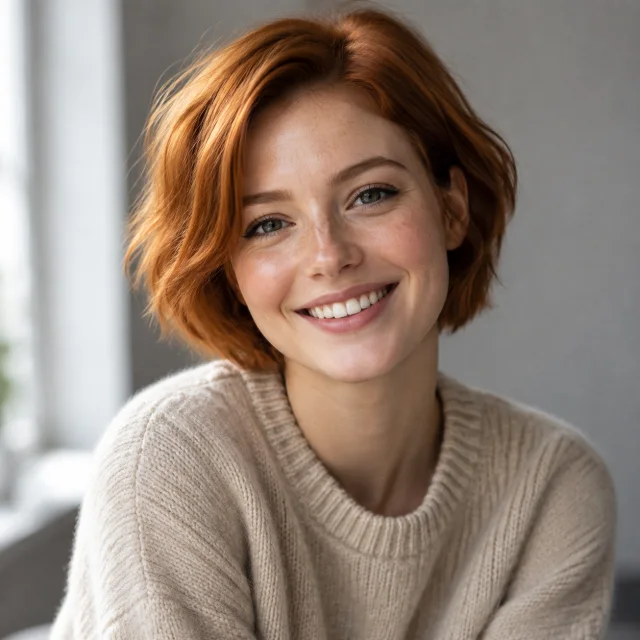
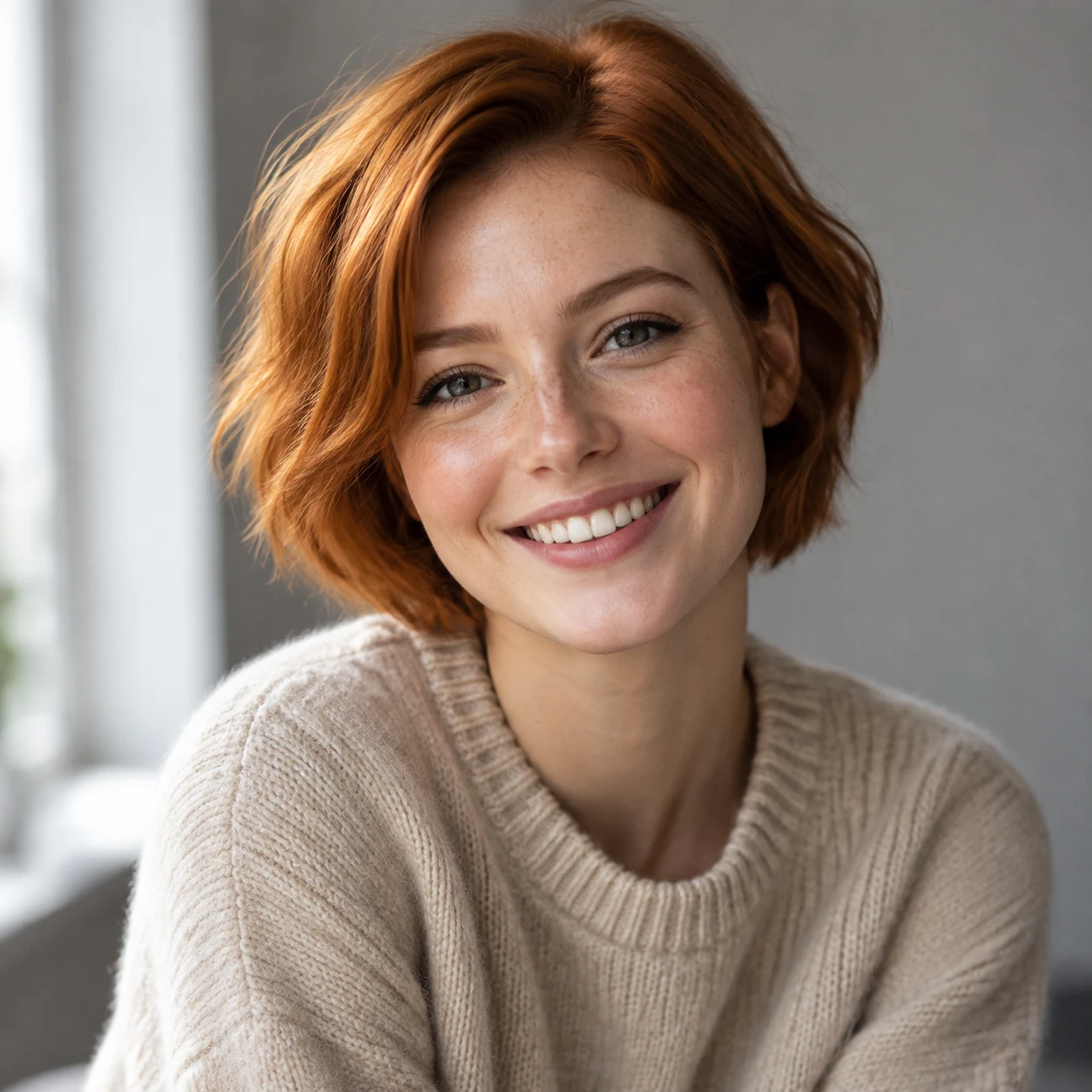
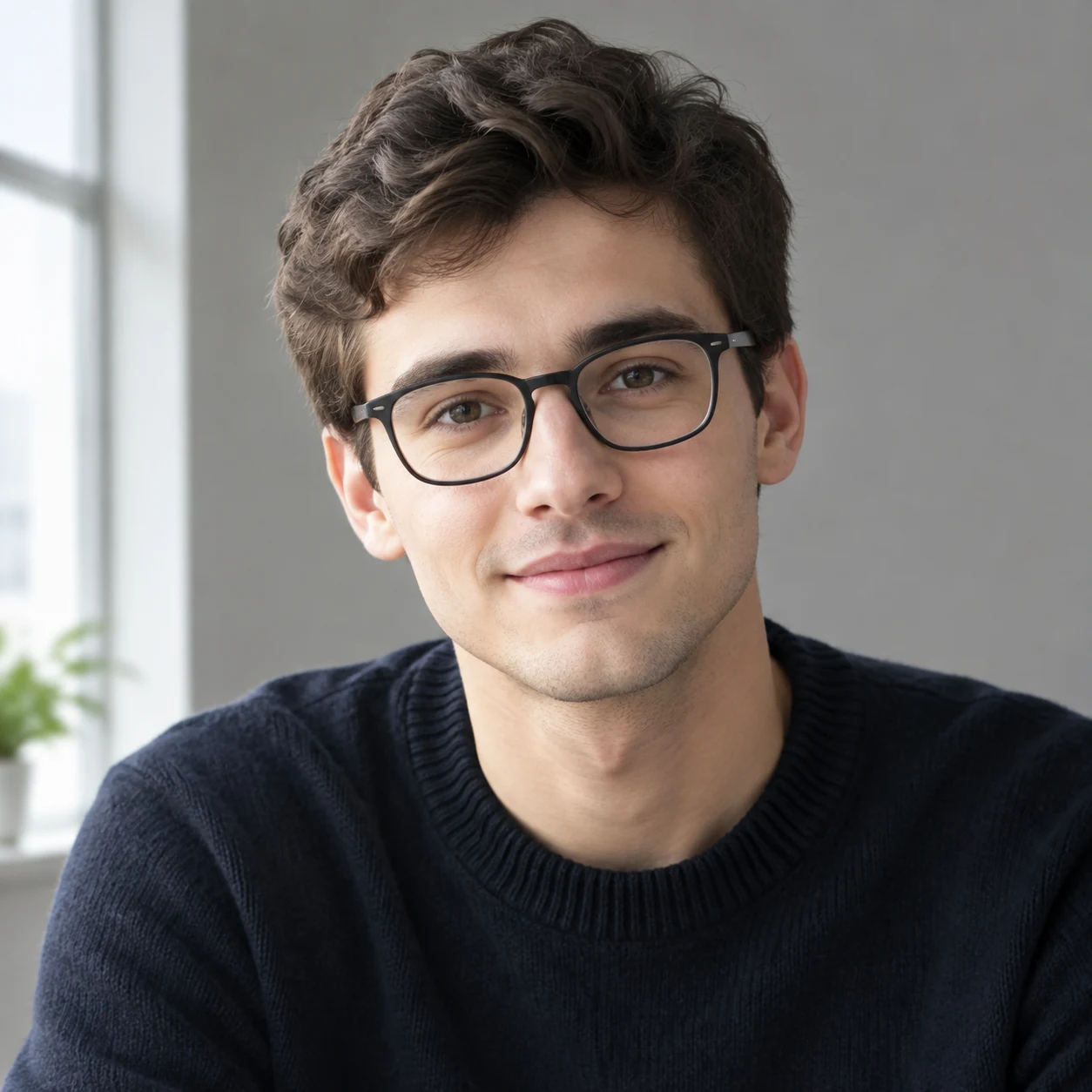
Avatar / portrait 1024×1024 · 29 sec
Prompt: Portrait of a smiling girl with short red hair in a beige sweater, soft window light, neutral gray background, photorealism, 85mm lens, shallow depth of field
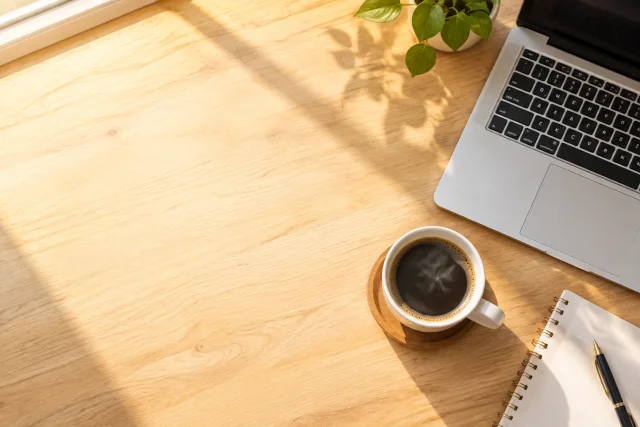
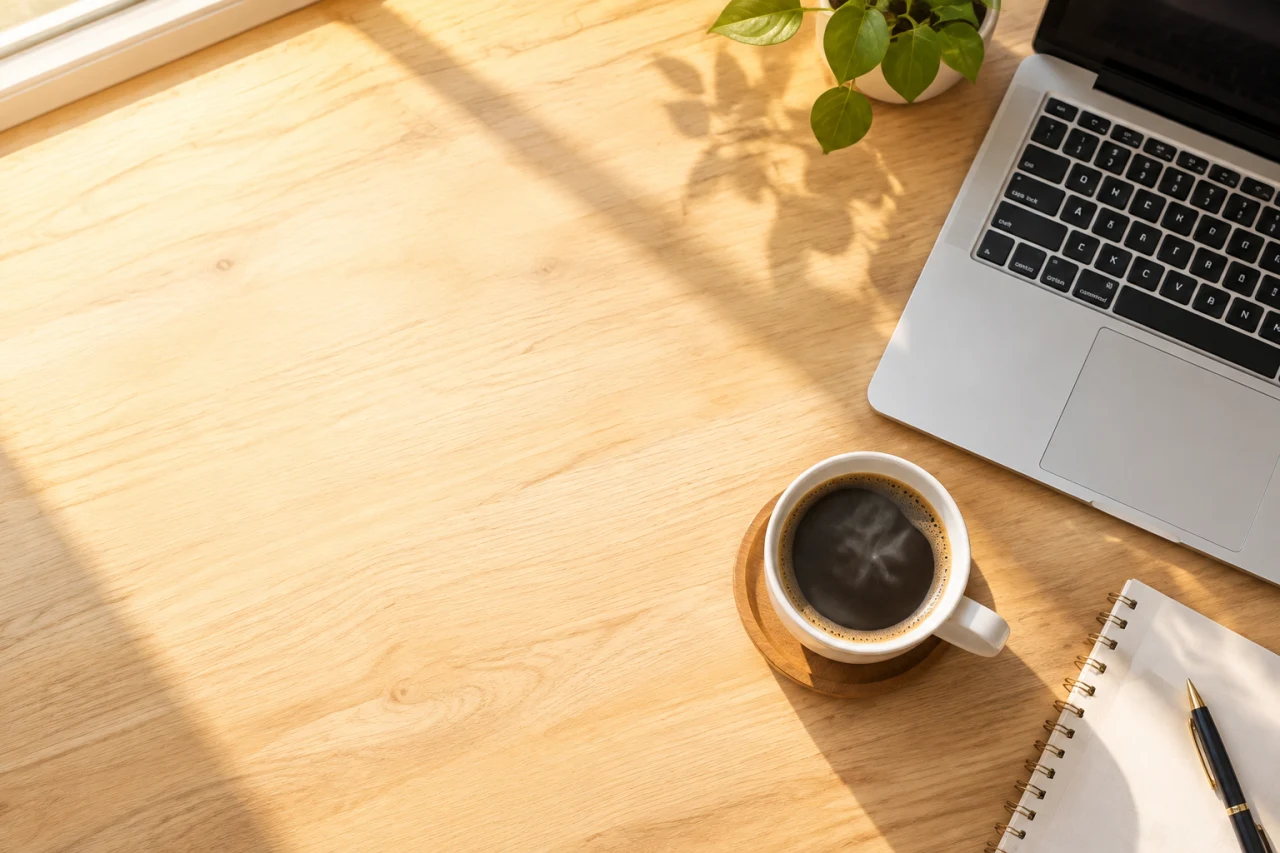
Article cover 1536×1024 · 104 sec
Prompt: Laptop and coffee cup on a light wooden table, top view, warm morning sunlight from window, free space on the left for headline, minimalism, photorealism
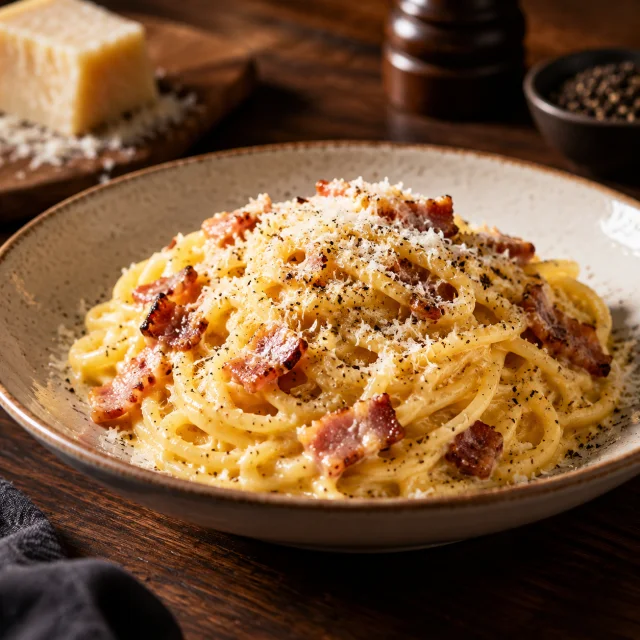
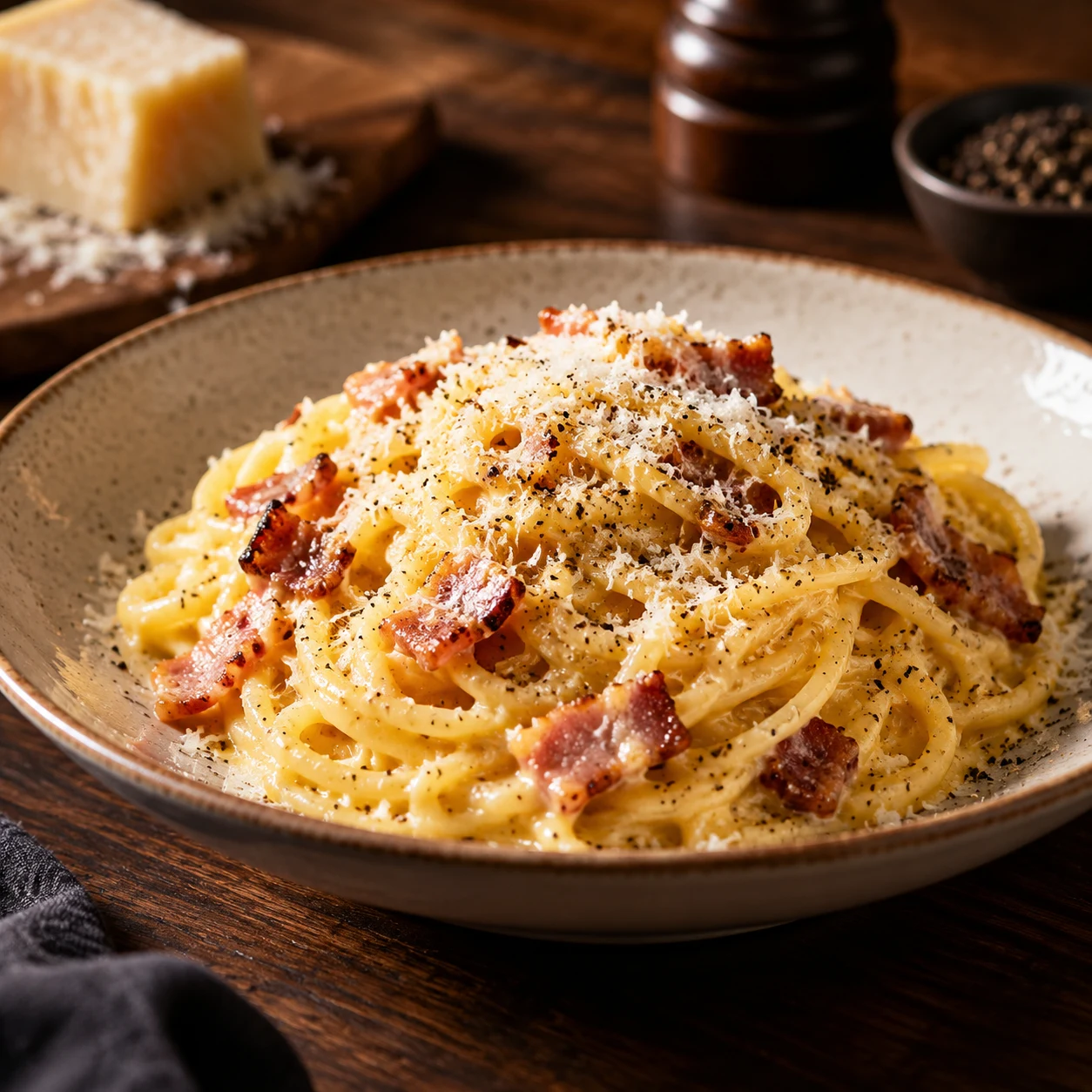
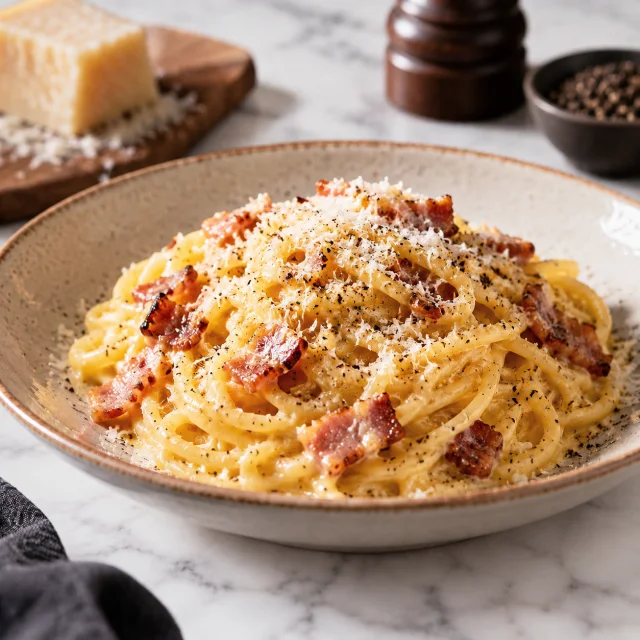
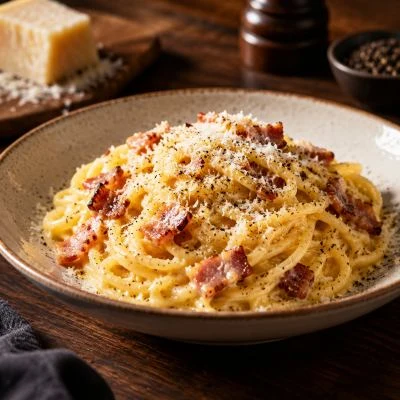
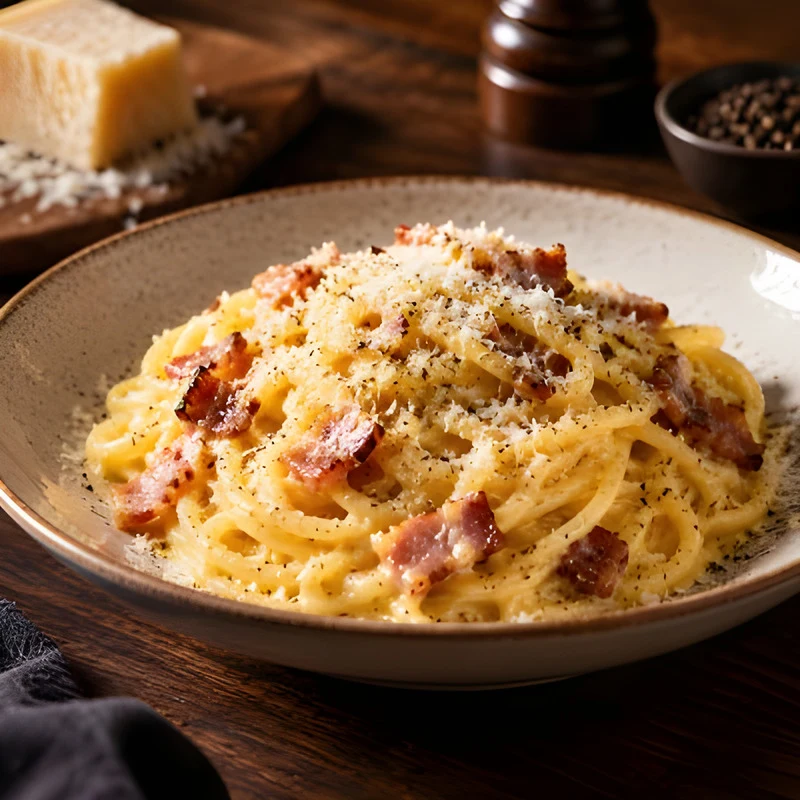
Food for menu 1024×1024 · 26 sec
Prompt: Plate of carbonara pasta with parmesan and black pepper on a dark wooden table, warm side lighting, close-up, shallow depth of field, food photography
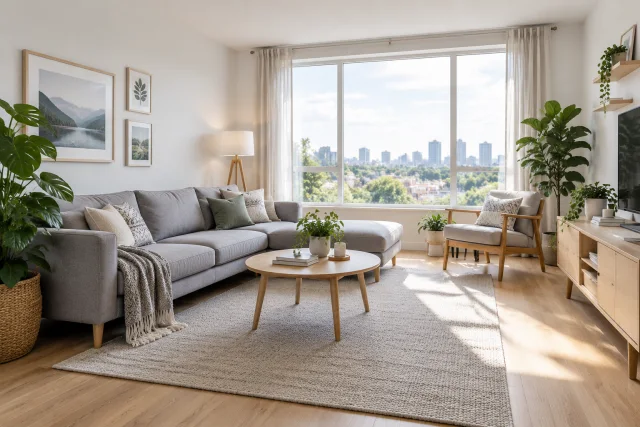
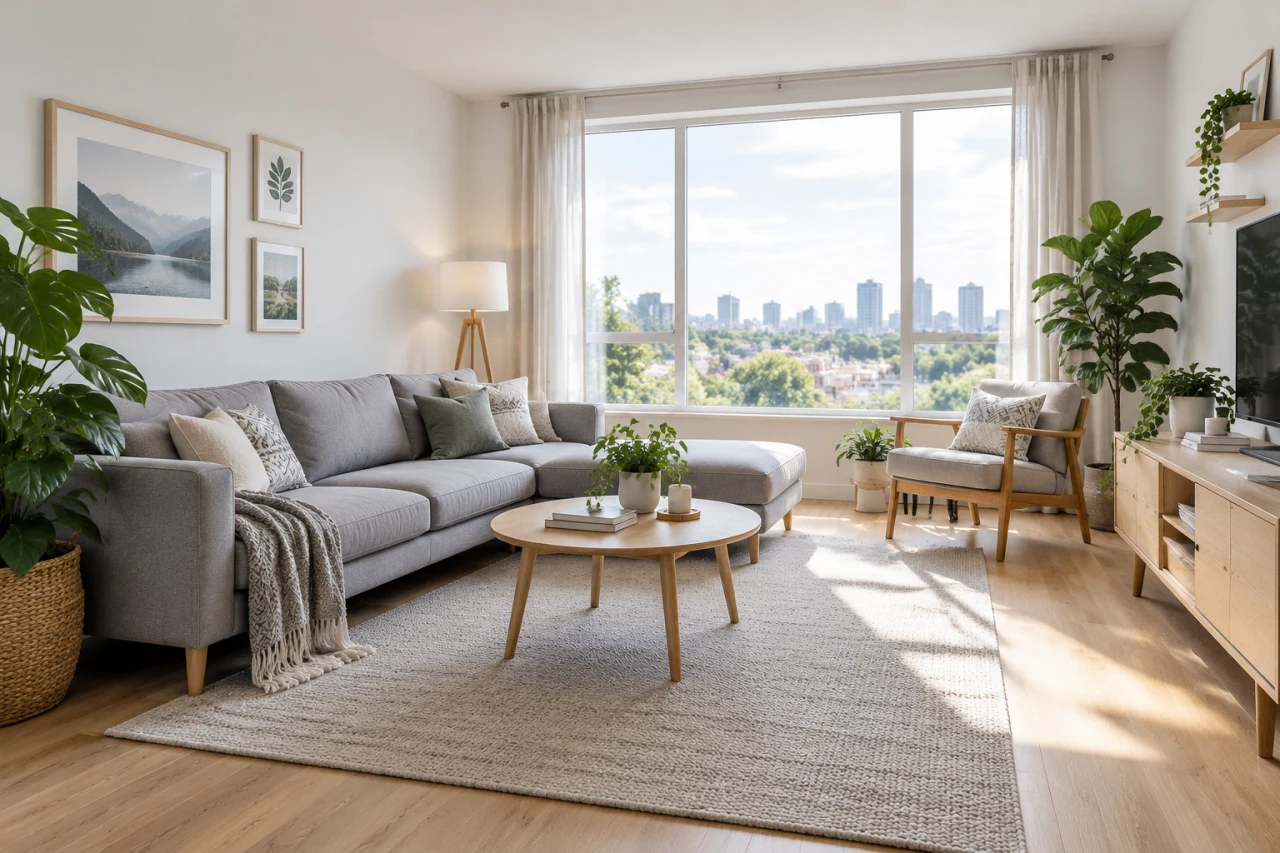
Interior 1536×1024 · 92 sec
Prompt: Bright living room in Scandinavian style: gray sofa, oak floor, large window, potted plants, soft daylight, wide angle, photorealism
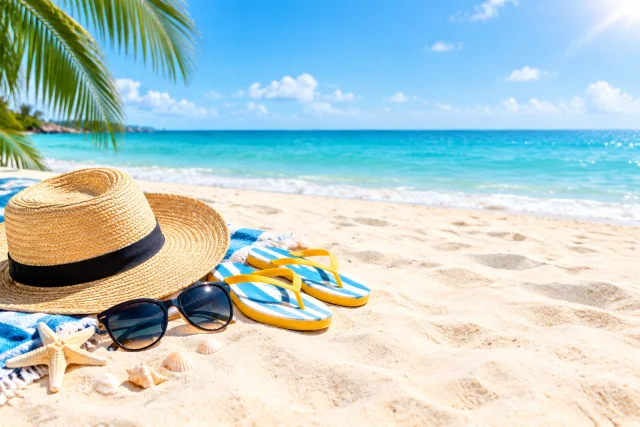
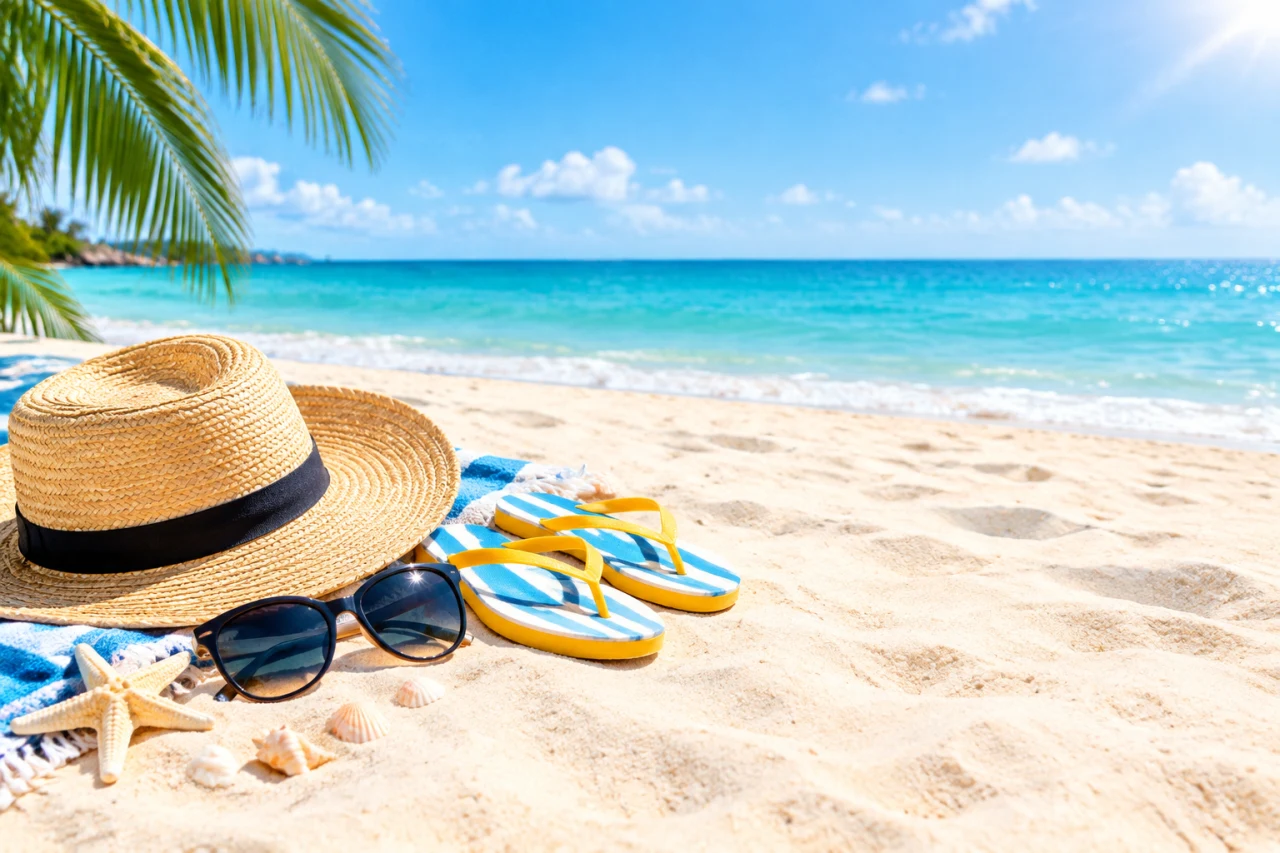
Banner with text space 1536×1024 · 26 sec
Prompt: Summer sale: bright beach accessories - straw hat, sunglasses, flip-flops - on light sand, sunny day, wide shot, free space on the right for text, no text
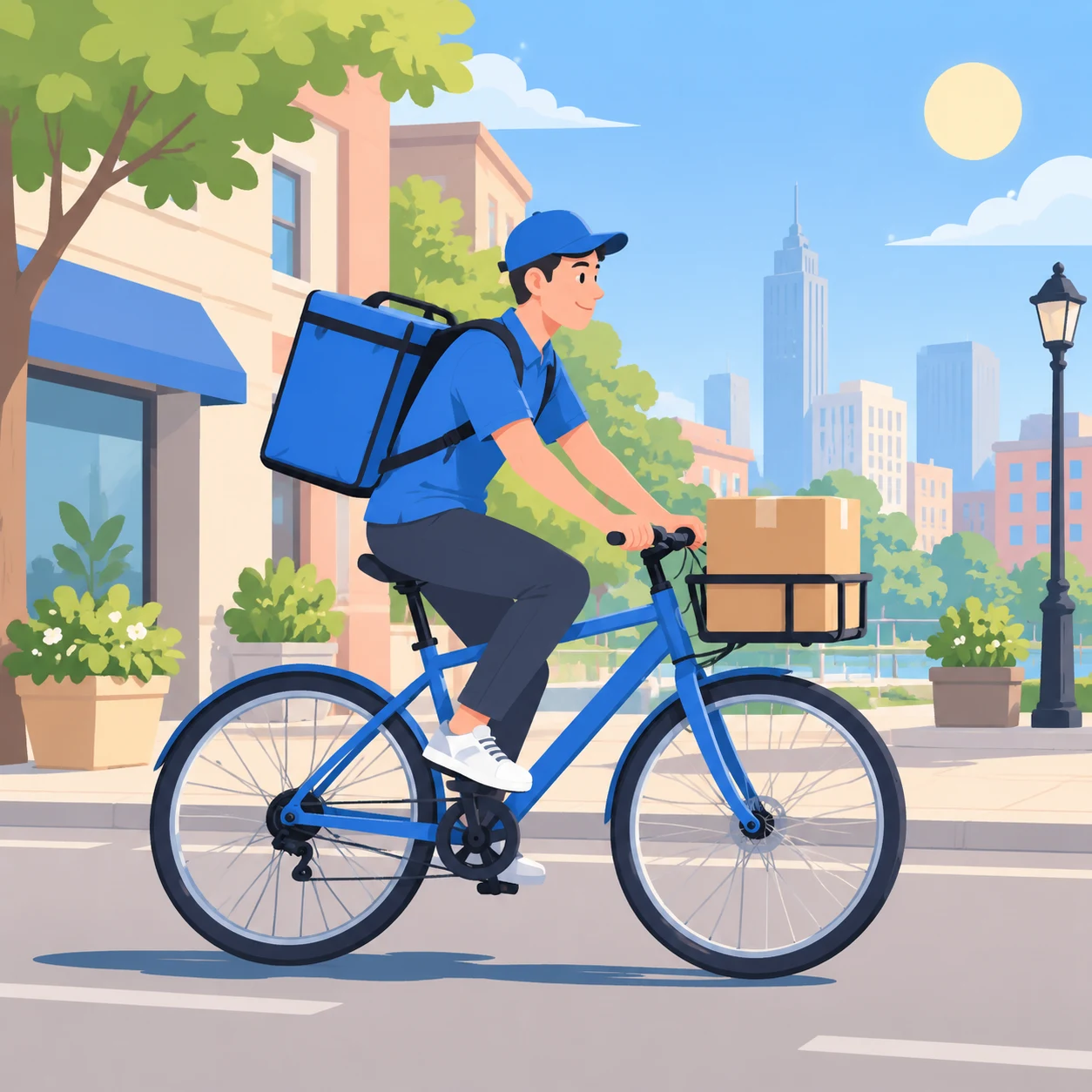
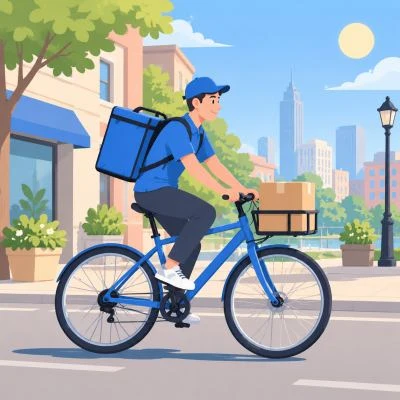
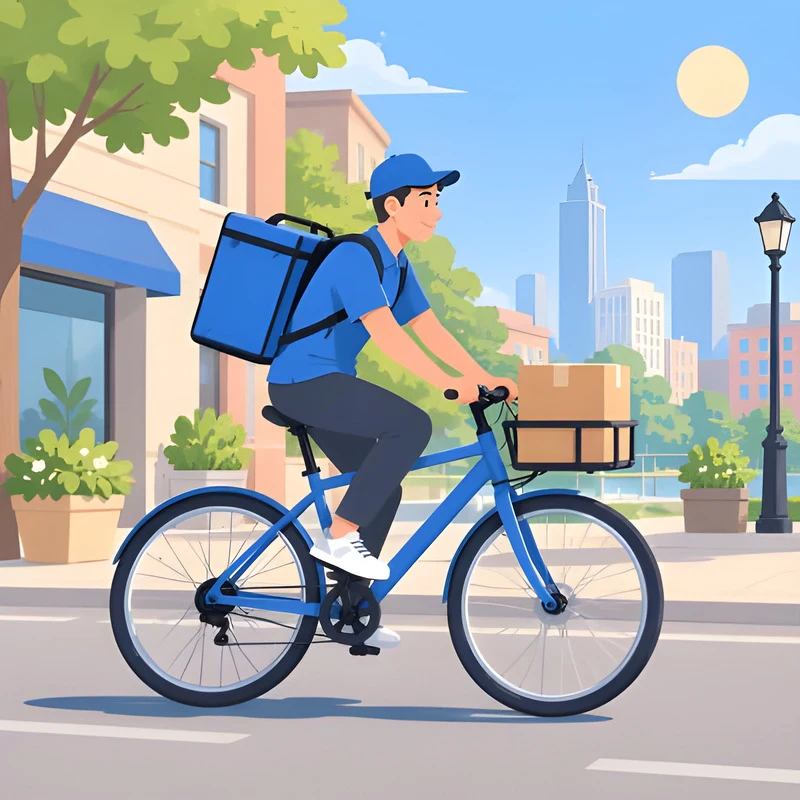
Illustration 1024×1024 · 38 sec
Prompt: Flat vector illustration: courier on bicycle carrying a box through sunny city street, pastel colors, clean shapes, no text
Logo concept 1024×1024 · 23 sec
Prompt: Minimalist coffee shop emblem: cup and leaf, two colors - dark green and beige, flat style, on white background, no text
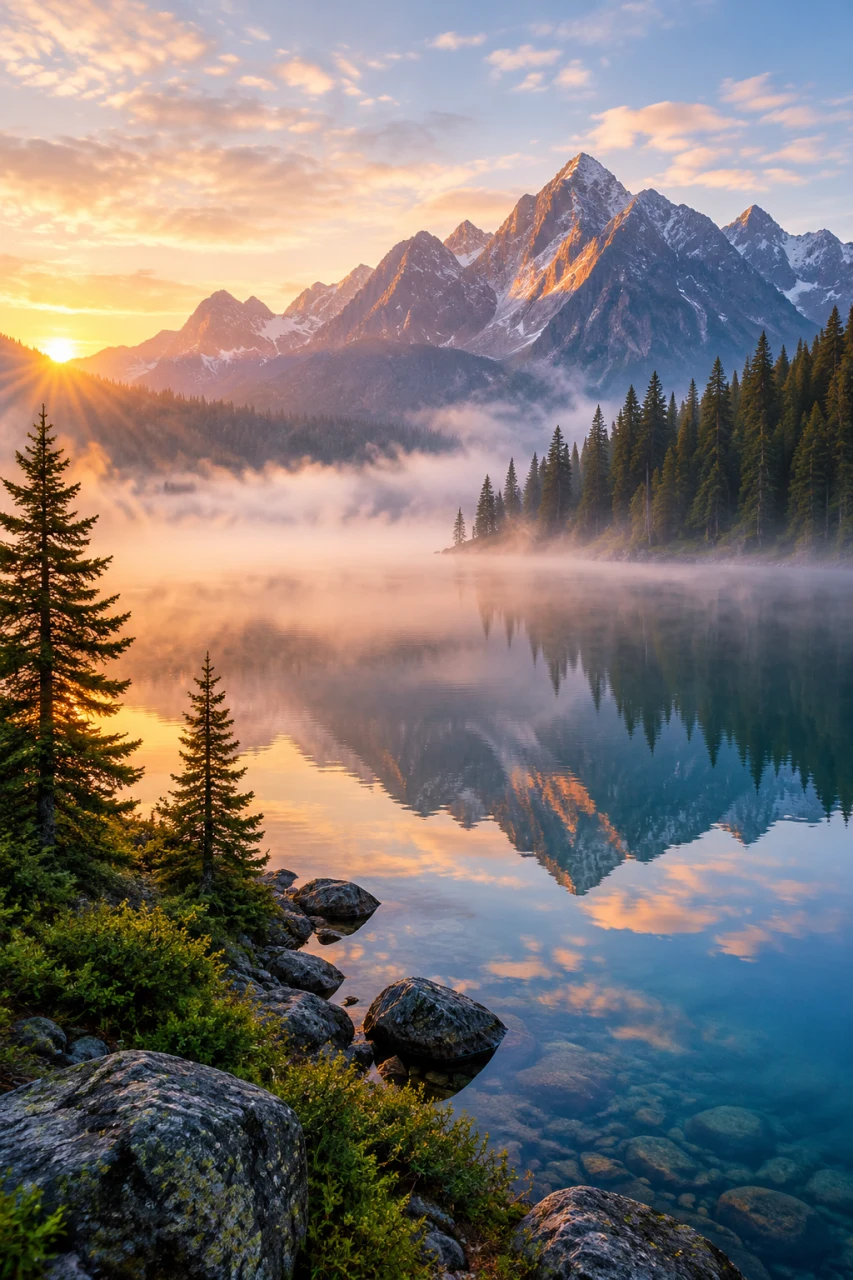
Vertical for stories 1024×1536 · 29 sec
Prompt: Mountain lake at dawn, fog over water, pine trees on shore, mountain reflection in water, vertical shot for stories, photorealism
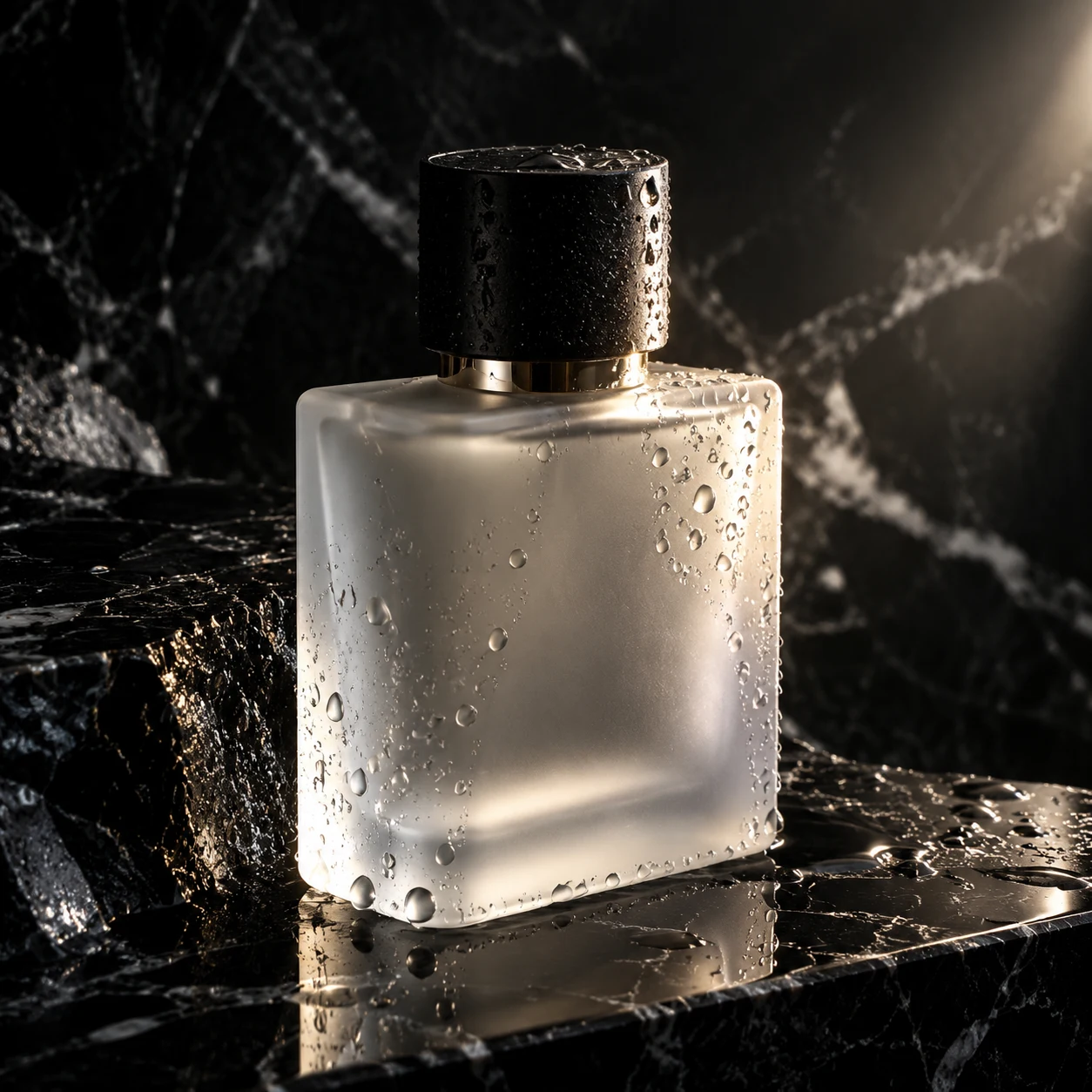
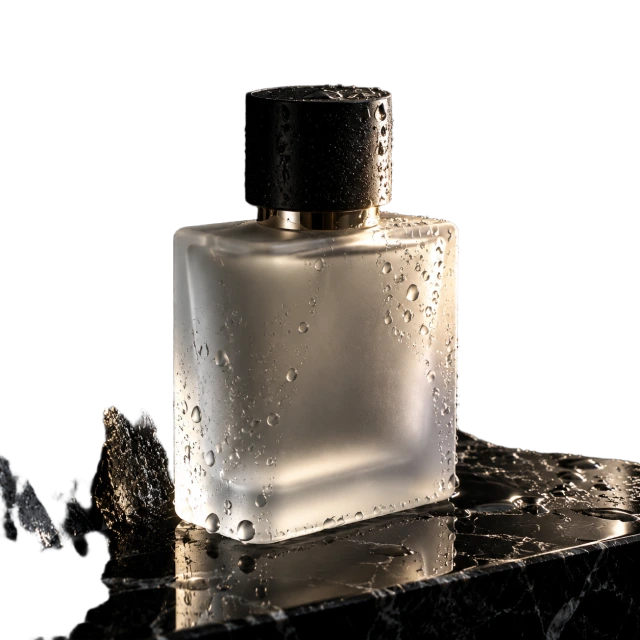
Premium product 1024×1024 · 31 sec
Prompt: Perfume bottle of matte glass on black marble, water drops, dramatic side lighting, close-up, premium, photorealism, no text
Bad and good prompt: same task - two results
The most common reason for 'AI draws the wrong thing' is too short a description. The model can't guess: what isn't specified, it makes up on its own. Below is the same task, written in two words versus one sentence.
Two-word prompt
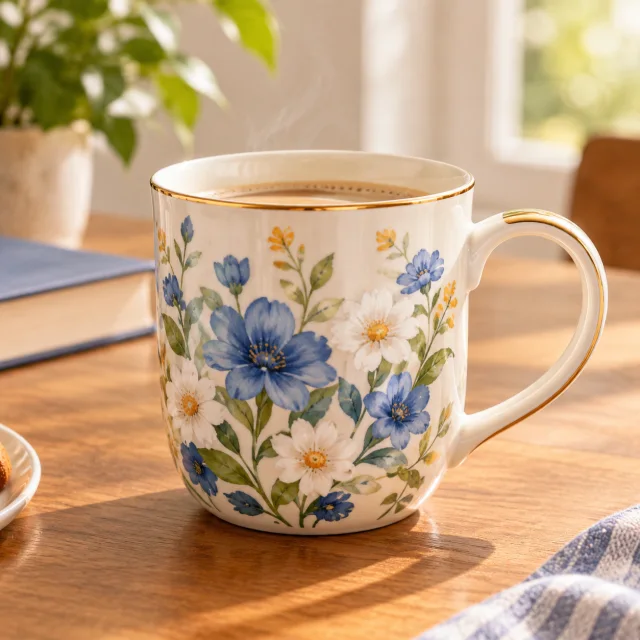
«beautiful mug»
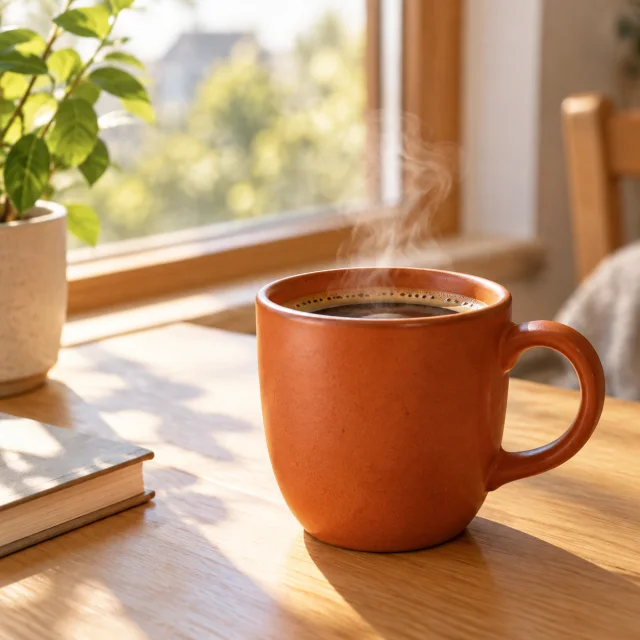
Prompt with details
«Terracotta ceramic mug on light wooden table by window, morning sun, light steam over coffee, blurred background, photorealism»
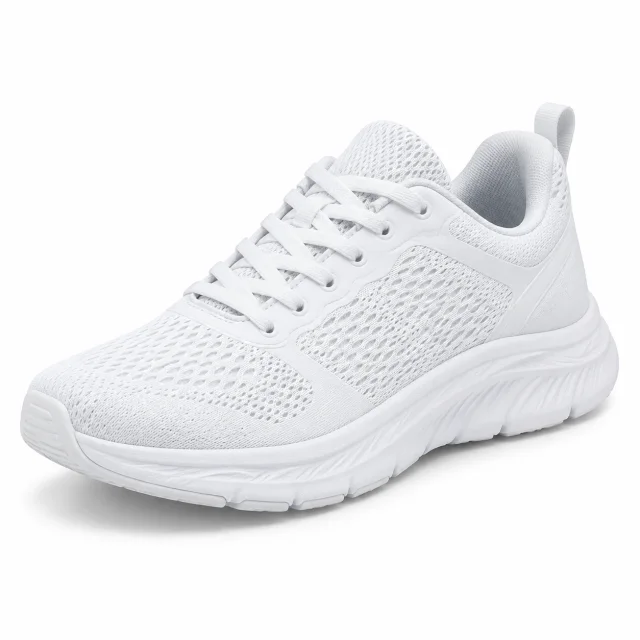
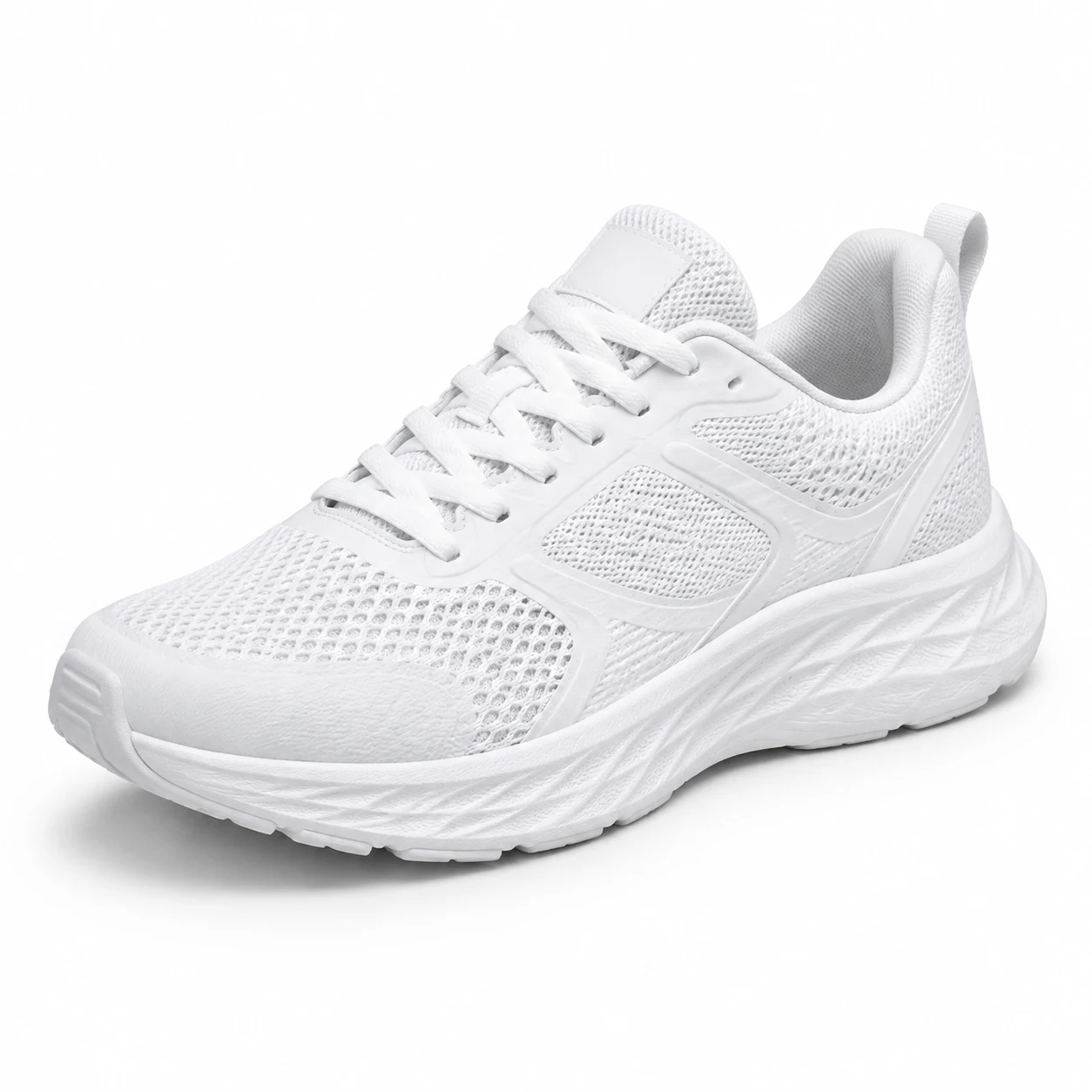
Two-word prompt
«product photo sneakers»
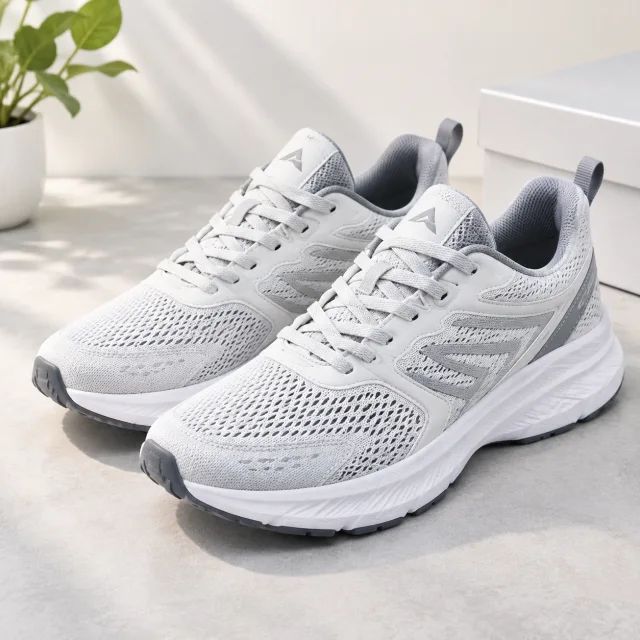
Prompt with details
«White running sneakers at 45 degree angle on clean white background, studio lighting, light shadow under sole, photorealism, marketplace product card»
The difference isn't in 'magic words,' but in the fact that the second case specifies object, background, lighting, and image purpose. That's the formula - it's below.
How AI modifies photos by description: before and after
The 'Edit photo' tab is an AI photo editor by text. No need to select areas and deal with layers: upload a photo and write what to change. Everything you don't mention stays in place - composition, lighting, faces.
Before
After
Request: «Make headphones matte black, leave everything else as is»
Before
After
Request: «Replace wooden table with white marble countertop, don't change food and dishes»
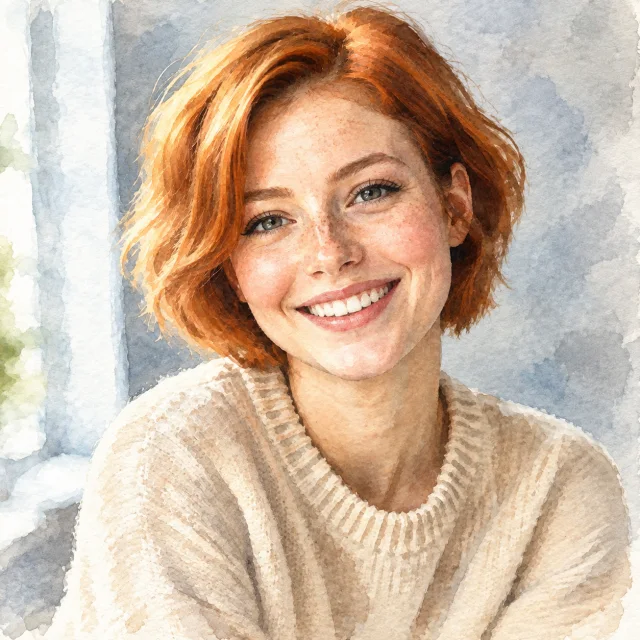
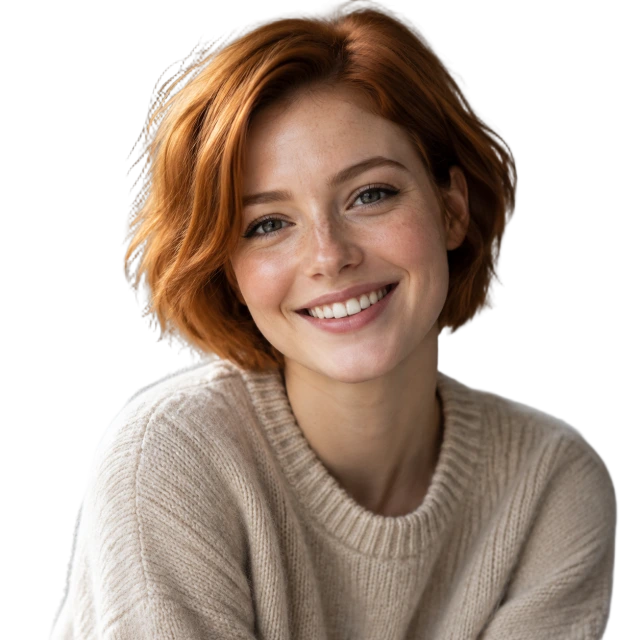
Before
After
Request: «Turn photo into watercolor illustration, preserve composition and facial features»
Write only the change: 'make headphones black,' not a description of the entire scene again.
Want to preserve something important - say it directly: 'don't change face and pose.'
Background replacement works better with a clear description of the new background: 'white marble countertop,' not 'nice background.'
Style change (watercolor, sketch, 3D) - also one line. Composition and features are preserved.
Remove background from image with AI - transparent PNG in 15 seconds
The tool finds a person, product, or object and separates it from the background. Hair, fur, semi-transparent edges, and fine details remain - output is PNG with true transparency, not a white square.
Original
Background removed
Original
Background removed
Product cards for Amazon, eBay, Etsy and Shopify - clean background per marketplace requirements.
Avatars and employee photos in uniform style: remove background and add brand color.
Collages, banners, and presentations - cut-out object placed on any background.
Stickers for Telegram and messengers.
Need specifically white background, not transparent? Remove background here, then on the 'Edit photo' tab write 'place on clean white background' - or just put the PNG on a white layer in any editor.
Upscale photo resolution with AI without quality loss
Small supplier photo, screenshot, old archive shot - the tool increases resolution approximately 2x and fills in details so edges stay sharp, not 'blurry' like with regular stretching.
Original · 400×400
After upscaling · 800×800
Original · 400×400
After upscaling · 800×800
Product photos with poor resolution - to meet marketplace minimum size requirements.
Images for printing: business cards, flyers, banners, where 600 pixels turn into blur.
Covers and thumbnails that need to be displayed large on a website.
Old scans and photos from phones of past years.
Upscaling doesn't invent what isn't there: very blurry or compressed to artifacts photo will get better, but not perfect. For such cases the combo helps: 'Upscale' → 'Edit photo' with request 'remove noise and sharpen'.
How to write an AI image prompt: a formula that works
A prompt is a description of an image in words. A good prompt isn't long-it's complete: it answers five questions. Take the formula below, fill in each part, and the result will be predictable on the first try.
Prompt formula
1
Subject
What's the main thing in the frame and what's it like
"white wireless earbuds in an open case"
2
Environment
Background, surface, location
"on a clean white background" / "on a wooden table by a window"
3
Lighting
Where from and what kind
"soft studio lighting", "warm morning sun", "dramatic side light"
4
Angle and format
How it's shot and for what
"top-down view", "close-up", "vertical frame for stories"
5
Style and purpose
What it should look like
"photorealistic", "flat vector illustration", "product photo for listing"
6
What not to include
Explicit exclusions
"no text", "no people", "no watermarks"
Built from the formula
Matte glass perfume bottle [subject] on black marble [environment], water droplets, dramatic side light [lighting], close-up [angle], premium, photorealistic [style], no text [exclusion].
Words the AI understands
Lighting
soft diffused · harsh studio · golden hour · backlit · neon · window light · overcast day
photorealistic · flat vector illustration · watercolor · 3D render · pencil sketch · pixel art · minimalist
Mood
cozy · premium · fresh · strict · festive · calm
Technique
85mm lens · shallow depth of field · long exposure · macro
Seven mistakes that give you the wrong result
Vague words instead of specifics
"Beautiful mug"-what kind, where, in what light? The model will choose for you, and almost certainly not what you imagined.
Five ideas in one request
Cat, sunset, city, space, and retro style in one line makes a mess. One scene-one prompt.
No format for the task
An avatar on a horizontal image will need cropping. Choose square, horizontal, or vertical right away.
Forgot to leave room for text
If the image will have a headline, write: "empty space on the right", "free area at the top".
Asking it to draw text
Text inside the image is every generator's weak spot. Generate without text, add the words in an editor.
Repeating the whole scene when editing
In "Edit photo" describe only the change. The AI will keep everything else.
One try and disappointment
The first result is a draft. Adjust one word, change the lighting or angle, and run it again: two or three iterations almost always give you what you need.
What People Do with an AI Image Generator: Use Cases and Ready-Made Prompts
Below are the real tasks people come for most often, and prompts that work for them. Click a prompt - it will be inserted into the form.
Product Card for Online Marketplaces
An AI image generator for product cards is needed when supplier photos are poor or missing. Generate the product on a white background, then remove the background or upscale the resolution to meet Amazon, eBay, Etsy and Shopify requirements.
Avatar from Description
Avatar for Telegram, social media, or team in a unified style: describe the person, lighting, and background. Want an avatar from your photo? Upload it in "Edit Photo" and describe the style.
Cover for Article, Track, or Video
Cover for YouTube, Instagram, Facebook, TikTok, book, or track - horizontal or square format, calm background with room for a headline.
Logo from Description
AI gives you a logo idea in seconds: ask for an emblem without text, two or three colors and a clean background, then refine it in vector.
Images for Presentations
Instead of an hour on stock sites - an illustration for a specific slide in a unified style for the entire presentation.
Creatives for Ads and Social Media
Banners, posts, stories - multiple variants for A/B testing in a couple of minutes. Ready creatives can be run through the uniquifier right away.
How to Use: Four Tools Step by Step
Generate an Image from Description
Open the "Generate" tab.
Write a prompt using the formula: object, environment, lighting, angle, style. Or click a ready example and change the details.
Choose format: square - avatar and product card, horizontal - cover and banner, vertical - stories.
Click "Generate". In 20-40 seconds the image will appear below: download it or send it to another tool using the buttons under the result.
Edit Photo by Description
Open "Edit Photo" and upload a picture: drag it into the field, click on it, or paste from clipboard.
Write only what needs to change: "make background white", "remove text", "recolor to blue".
Click "Edit Photo" and compare "Before" and "After". Not right? Refine the wording and try again.
Remove Background
Upload a photo in the "Remove Background" tab - product, person, logo.
Click the button. In 15 seconds you'll get a PNG with transparent background.
Upscale Image
Upload a small or blurry image in the "Upscale" tab.
AI will increase the resolution roughly twofold and preserve sharp edges.
18+ AI uncensored: adult image generation from text description
Regular generators refuse anything even slightly "adult": lingerie, artistic nudes, revealing poses. That's why there's a separate "18+ uncensored" tab - it uses a different model trained on adult content, and it generates what you described without "sorry, I can't".
How it worksThe 18+ tab sends requests not to the main AI but to an unfiltered model (Lustify on the Venice platform). The formula from the guide above works here too: who, where, lighting, angle, style. Write prompts in English - before generation the request is automatically translated into a detailed English prompt (the model only understands English). The image arrives in 10-20 seconds as PNG, and you can immediately upscale it with the button below the result.
Who needs itAdult Telegram channel and website creators - covers and previews without stock photos. Dating and adult vertical marketers - creatives for testing without photographers or models. Artists and writers - references for scenes regular AIs won't generate.
What's prohibitedWe do not generate minors and do not create intimate images of real people - neither by name nor by photo. Such requests never reach the model: they're stopped by a filter in five languages, and the attempt is logged. This isn't a formality: the entire tab's existence depends on it.
How to generate an 18+ image
Open the "18+ uncensored" tab and confirm you are 18. Without login you get 1 generation per day; login via Telegram with channel subscription gives 3, channel boost or stars - 25.
Describe the scene using the formula: who (adult woman/man/couple), where, what lighting, angle, style. State age explicitly - "woman 30 years old".
Choose format and click "Generate 18+". Not right? Adjust one or two words and try again - the limit is shared with all operations.
Tips for better results
Describe pose and clothing with words, not hints: the model generates literally.
Words like "photorealism", "85mm lens", "soft window light" produce a photo, while "illustration", "oil painting", "watercolor" produce artwork.
Write in English and be detailed: before generation the request is automatically translated into an expanded English prompt - the 18+ model itself only understands English. The more specific the description, the more accurate the translation and image.
Like the result? Click "Upscale": resolution doubles without quality loss.
18+ mode rules: Adult characters only. Any mention of children, teenagers, "schoolgirls", age under 18 is blocked automatically, the request is logged, and access is revoked. No real people: no celebrities, no acquaintances, no "like in this photo". Photo upload in 18+ mode is intentionally disabled. No violence, coercion, or humiliation. Generated images are stored at a random URL, not indexed by search engines, and deleted after 24 hours. 18+ request logs are kept in case of complaints.
Free and No Registration: How Limits Work
The service is free. To prevent bot abuse, there are daily limits on operations - one operation is one image (generation, edit, background removal, or upscale). Failed requests don't count.
Without Login
3 operations per day
Opened the page - and you can start working. No need to enter anything.
Login via Telegram + channel subscription
10 operations per day
Click "Login via Telegram", confirm login in the bot, and subscribe to the channel. Takes half a minute.
Channel boost or stars
50 operations per day
For those who work with images every day. Arranged directly in the bot.
18+ mode is counted separately and does not consume the regular limit: without login - 1 generation per day, after login with channel subscription - 3, with channel boost or stars - 25.
Limits refresh at 00:00 Moscow time (UTC+3).
Questions and Answers
Is this a free AI image generator?
Yes. Without login - 3 operations per day, after logging in through Telegram and subscribing to the channel - 10, with channel boost or stars - 50 per day. There are no paid plans on the page.
Is registration required?
No. Just open the page and use it. Logging in through Telegram is only needed to raise the daily limit, and it's not registration with email and password - just one tap in the bot.
Can I write prompts in English?
Yes, you can write prompts in English - all examples on this page were generated with English prompts. Other languages work too, but translation isn't necessary.
What counts as an operation?
One output image: generation, photo editing, background removal, or upscaling. If a request fails, the operation is not deducted.
What size are the generated images?
Generation - 1024×1024, 1536×1024, or 1024×1536 pixels. Upscaling increases the original resolution by approximately two times. Background removal and editing preserve the original size.
What file formats can I upload?
PNG, JPEG, and WebP up to 15 MB. Results are delivered in PNG; after background removal - PNG with transparency.
What happens to my files?
Uploaded photos are processed and not stored. Completed results stay on the server for 24 hours so you have time to download them, then they're deleted. Nothing is trained on your images.
Can I use the images in ads and on Amazon, eBay, Etsy and Shopify?
Yes, there are no restrictions on our end. The only rule - don't use other people's faces, trademarks, and protected characters without permission.
Why did the AI reject my request?
The models have their own rules: they refuse violence, real people without consent, well-known brands, and similar content. Sometimes the filter triggers on harmless wording - rephrase it, remove names and brand references.
How long does it take to get results?
Generation and photo editing - 20-40 seconds, background removal and upscaling - about 15 seconds. No need to close the tab: the result appears on the same page.
Can I refine the generated image?
Yes. Below the result there are "Edit", "Remove Background", and "Upscale" buttons - the image is passed forward without re-uploading. This way you can create a finished product photo in three steps: generate → remove background → upscale.
How do I create an avatar from my photo?
Upload a photo to "Edit Photo" and describe the style: "turn into a watercolor portrait", "make the background solid blue", "add soft studio lighting". The face and pose will be preserved.
Can the AI draw text on an image?
Short text sometimes works, but this is a weak point of all generators: letters get mixed up. It's more reliable to generate an image with empty space for text and add the text in any editor.
Does it work on mobile?
Yes. The page is mobile-friendly: you can select a photo from your gallery or take one with the camera, and the result downloads immediately.
How is this different from Midjourney and other generators?
Opens in any country right in the browser - no Discord, no app to install, no card: the service opens in your browser, prompts in English, and the free operation limit resets every day. Besides generation, you also get photo editing, background removal, and upscaling - usually four different services.
Can I generate 18+ images?
Yes, in the "18+ uncensored" tab. It uses a separate unfiltered model that generates erotic and explicit scenes from descriptions. The mode has its own limit: a little without login, more after login via Telegram with channel subscription, and maximum with boost or stars - exact numbers in the "Limits" section. Minors and real people are prohibited - such requests are blocked automatically.
Why can't I upload my own photo in 18+ mode?
To prevent the service from being used to create intimate images of a real person without their consent. In 18+ only text-to-image generation works; for photo editing, background removal, and upscaling use the regular tabs.
Who sees my 18+ images?
No one. The file is stored at a random URL, hidden from search engines, and deleted after 24 hours. We do not review results, but keep 18+ request logs in case of complaints and rule violations.
AI for image generation and photo editing online - what it is and who needs it
Until recently, to get an image for a task, you had to search stock sites, negotiate with a designer, or learn to draw yourself. Now it's enough to describe what you need: an AI image generator creates a picture from a description in half a minute, and a neural network for photo editing modifies an existing image based on a text prompt. This page combines both tools in one window, with background removal and resolution upscaling added - the four most common image operations.
Who needs thisMarketplace sellers - for product cards and replacing poor supplier photos. Marketers and arbitrage specialists - for banners, creatives, and covers for A/B tests. Bloggers and SMM managers - for post covers, stories, and avatars. Website owners - for illustrations for sections and articles. Everyone else - when you need a picture 'like this' but can't find it anywhere.
How it worksText-to-image generation relies on a model trained on 'description-image' pairs: the more precise the description, the closer the result. That's why so much space on the page is devoted to prompts: formulas, glossary, common mistakes, and live examples with results. Description-based editing uses the same model but takes your photo as a base and only changes what you asked for. Background removal and upscaling are separate specialized models trained specifically for those tasks.
The service opens in any country right in the browser - no Discord, no app to install, no card needed. Prompts written in English work great, and no registration is required. Daily limits protect it from bots and reset every night; logging in via Telegram and subscribing to the channel raise the limit, boosting the channel or sending stars make it available for daily use.
 EN
EN Русский
 Deutsch
 Español
 Português